
💻 App Store Intelligence
PDF Reader X - Edit Adobe PDF
GoodPDF Limited · Business
Rating
—
No ratings yet
Price
Free
US storefront
Size
36.5 MB
v4.0.8
Age Rating
4+
2 languages
Categories
Business
Productivity
Daily chart position by storefront
Daily rank history builds up over time — check back after a few more days of tracking.
Description
PDF Reader X is a powerful PDF editor, which allows you to edit, annotate, sign, organize (add/delete/reorder/extract pages), merge, split, compress and protect PDFs.
# EDIT ORIGINAL PDF TEXT
PDF Reader X provides the best experience for editing PDFs on your Mac. It will automatically detect the font, size, and opacity of the original text, so you can make edits easily.
# EDIT PDF IMAGES
With PDF Reader X, you can add, replace, and move images in PDF documents. Edit images the way you want.
# EDIT PDF LINKS
Now linking any part of the text to a different page or a website is easy. Moreover, links can be added to the images.
# EDIT PDF OUTLINE
Create, edit and remove outline items on your PDFs
# ORGANIZE PAGES
Arrange pages in PDF in a snap. Split, delete, rotate, add and crop PDF pages. Drag and drop page thumbnails to arrange pages. Let you reorder PDF pages exactly the way you want. Combine, organize, and edit PDFs in one software.
# ANNOTATE PDFs
Annotate, Markup, and Highlight PDF As You Please. With PDF Reader X, you can annotate PDF files, add comments, highlight text, and markup PDF with shapes, stamps, and drawings.
# SIGN PDFs
You can sign your PDF agreement or invoice with PDF Reader X.
# COMPRESS PDFs
If you need to email your thesis with lots of diagrams, tables, images and tons of text pages with the very limited size of the e-mail, compressing your PDF file is the easiest way to solve this problem.
# PROTECT PDFs
If there's a document with some financial statements, you don't want everyone to see or use it without permission. That's when you need password to protect your PDF.
# SPLIT PDFs
Easily save specific pages of your PDF document. You can extract one page or multiple pages from PDF.
# MERGE PDFs
Integrating PDFs is useful when you are conducting scientific research and need to merge a lot of statistical info from different sources into one PDF file.
# CREATE PDF DOCUMENT
You can create a new PDF document from images, text files and clipboard. Or you can create a blank PDF document, then insert text and images by youself, just like editing a Word document.
Read more about our terms and conditions here:
https://goodpdf.io/privacy
https://www.apple.com/legal/internet-services/itunes/dev/stdeula/
Have questions or issues? Don't hesitate to reach out to us at https://goodpdf.io/contact
# EDIT ORIGINAL PDF TEXT
PDF Reader X provides the best experience for editing PDFs on your Mac. It will automatically detect the font, size, and opacity of the original text, so you can make edits easily.
# EDIT PDF IMAGES
With PDF Reader X, you can add, replace, and move images in PDF documents. Edit images the way you want.
# EDIT PDF LINKS
Now linking any part of the text to a different page or a website is easy. Moreover, links can be added to the images.
# EDIT PDF OUTLINE
Create, edit and remove outline items on your PDFs
# ORGANIZE PAGES
Arrange pages in PDF in a snap. Split, delete, rotate, add and crop PDF pages. Drag and drop page thumbnails to arrange pages. Let you reorder PDF pages exactly the way you want. Combine, organize, and edit PDFs in one software.
# ANNOTATE PDFs
Annotate, Markup, and Highlight PDF As You Please. With PDF Reader X, you can annotate PDF files, add comments, highlight text, and markup PDF with shapes, stamps, and drawings.
# SIGN PDFs
You can sign your PDF agreement or invoice with PDF Reader X.
# COMPRESS PDFs
If you need to email your thesis with lots of diagrams, tables, images and tons of text pages with the very limited size of the e-mail, compressing your PDF file is the easiest way to solve this problem.
# PROTECT PDFs
If there's a document with some financial statements, you don't want everyone to see or use it without permission. That's when you need password to protect your PDF.
# SPLIT PDFs
Easily save specific pages of your PDF document. You can extract one page or multiple pages from PDF.
# MERGE PDFs
Integrating PDFs is useful when you are conducting scientific research and need to merge a lot of statistical info from different sources into one PDF file.
# CREATE PDF DOCUMENT
You can create a new PDF document from images, text files and clipboard. Or you can create a blank PDF document, then insert text and images by youself, just like editing a Word document.
Read more about our terms and conditions here:
https://goodpdf.io/privacy
https://www.apple.com/legal/internet-services/itunes/dev/stdeula/
Have questions or issues? Don't hesitate to reach out to us at https://goodpdf.io/contact
Screenshots
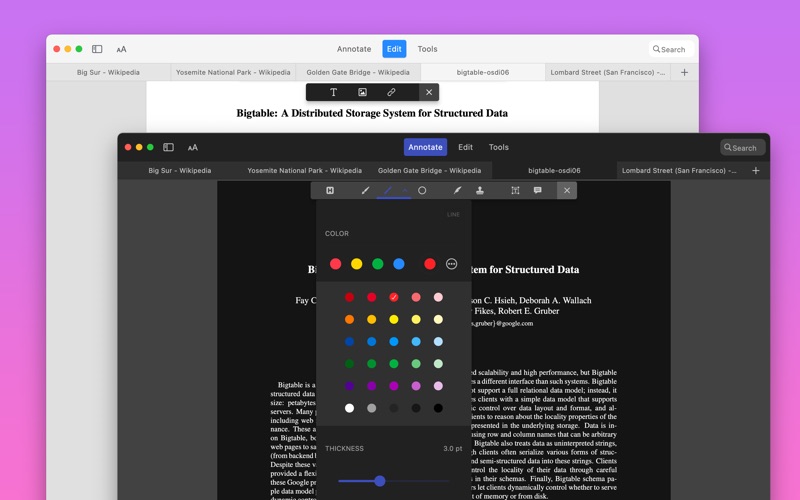
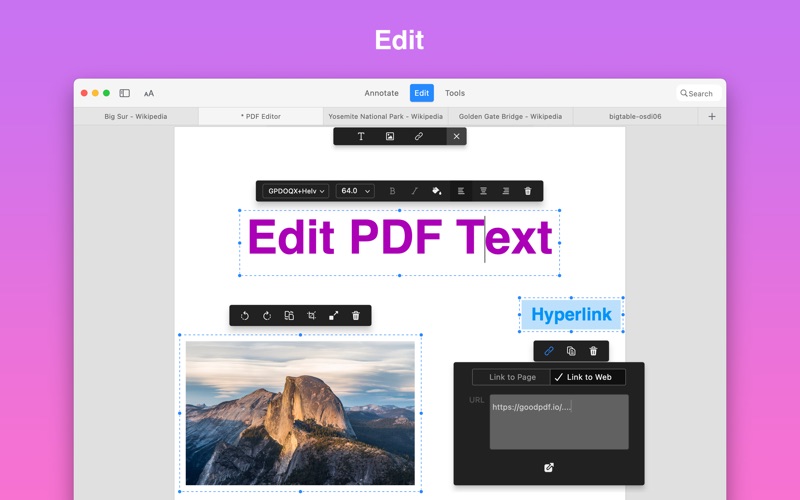
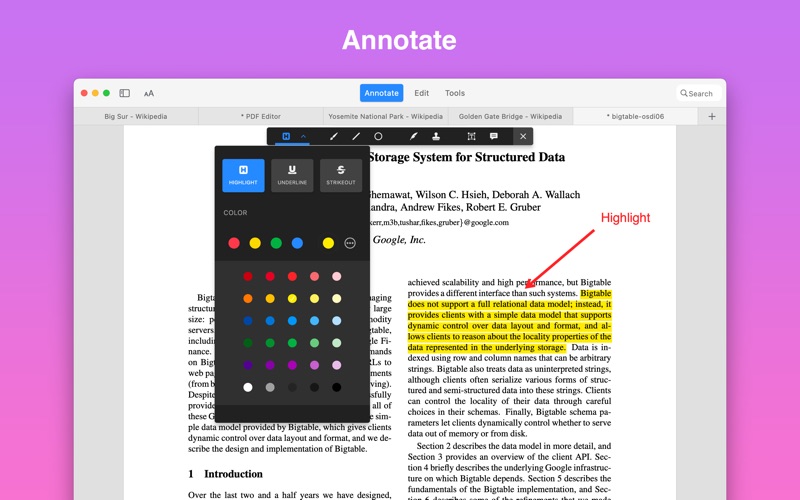
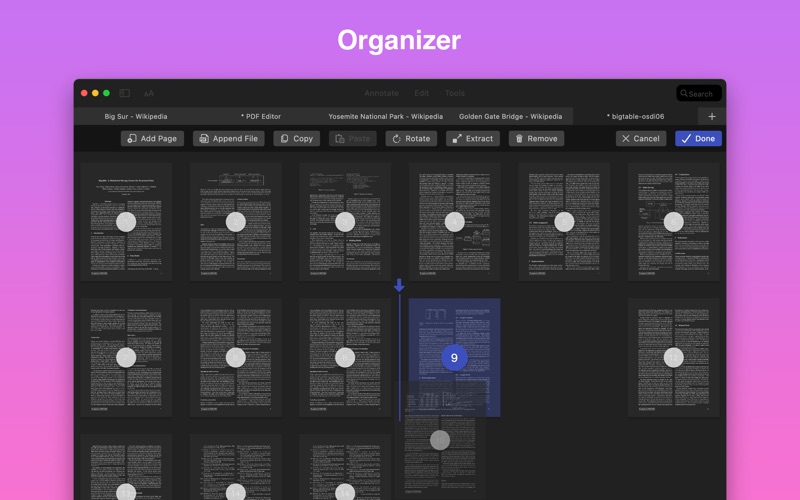
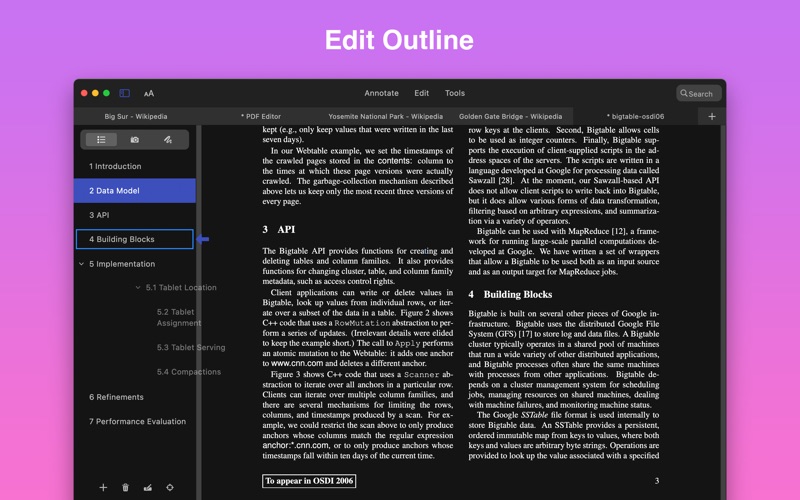
Chart presence — 1 position tracked
| Storefront | Category | Chart | Rank |
|---|---|---|---|
| Iceland | Apps | Top Free | #46 |
Details
App Store data shown here is sourced from Apple's public iTunes RSS chart feeds and the iTunes Lookup API, collected by Zing at regular intervals. Figures may differ from Apple's internal App Store Connect analytics.
Explore App Store Intelligence