
Rating
—
No ratings yet
Price
Free
US storefront
Size
2.8 MB
v1.3.2
Age Rating
4+
13 languages
Categories
Productivity
Utilities
Daily chart position by storefront
Daily rank history builds up over time — check back after a few more days of tracking.
Description
Replace Dock hunting and Command-Tab cycling with a fast radial launcher for Mac.
Launch apps, files, and folders from your keyboard or mouse, centered on screen or right at the cursor.
Launchy is a lightweight app launcher and switcher for macOS. It gives you a customizable radial menu for opening the things you use most, without digging through the Dock, Spotlight, or long app-switcher lists.
Features You’ll Love:
— Switch, activate, and launch apps effortlessly.
— Open files and folders directly from Launchy.
— Custom App Palette: Add apps via drag-and-drop, arrange them as you like, and configure unique behaviors.
— Launch Behavior Control: Set rules such as hiding Launchy or other apps when launching.
— Quick Navigation: Use arrow keys or press A–Z to instantly select and activate apps.
— Flexible Presentation: Show the wheel in the screen center or right at the mouse cursor.
— Seamless Mode Switching: Toggle between user-defined and running app modes with ease.
— Easy Configuration Management: Export and import app settings effortlessly.
— Full Customization: Adjust menu size, icon size, selection tolerance, and more.
— iCloud Sync: Keep your preferences in sync across devices.
— Lightweight & Native: Designed for speed and efficiency on macOS.
Make your Mac workflow faster and more direct. With Launchy, the right app, file, or folder is always just a shortcut away.
Launch apps, files, and folders from your keyboard or mouse, centered on screen or right at the cursor.
Launchy is a lightweight app launcher and switcher for macOS. It gives you a customizable radial menu for opening the things you use most, without digging through the Dock, Spotlight, or long app-switcher lists.
Features You’ll Love:
— Switch, activate, and launch apps effortlessly.
— Open files and folders directly from Launchy.
— Custom App Palette: Add apps via drag-and-drop, arrange them as you like, and configure unique behaviors.
— Launch Behavior Control: Set rules such as hiding Launchy or other apps when launching.
— Quick Navigation: Use arrow keys or press A–Z to instantly select and activate apps.
— Flexible Presentation: Show the wheel in the screen center or right at the mouse cursor.
— Seamless Mode Switching: Toggle between user-defined and running app modes with ease.
— Easy Configuration Management: Export and import app settings effortlessly.
— Full Customization: Adjust menu size, icon size, selection tolerance, and more.
— iCloud Sync: Keep your preferences in sync across devices.
— Lightweight & Native: Designed for speed and efficiency on macOS.
Make your Mac workflow faster and more direct. With Launchy, the right app, file, or folder is always just a shortcut away.
Screenshots
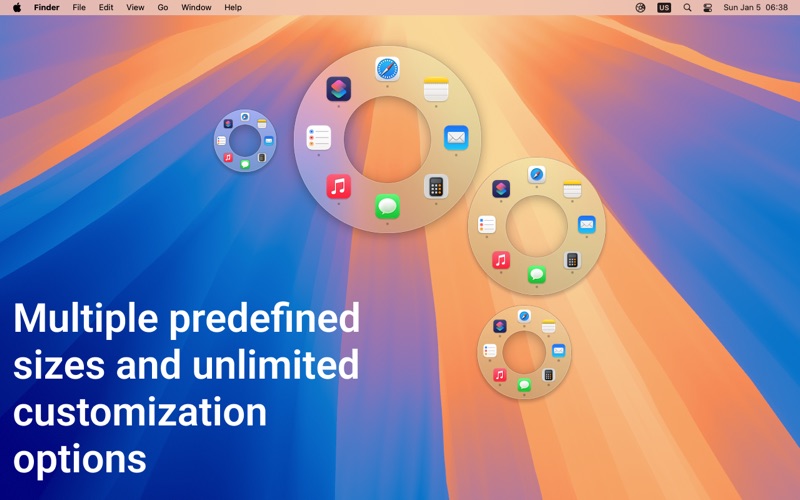
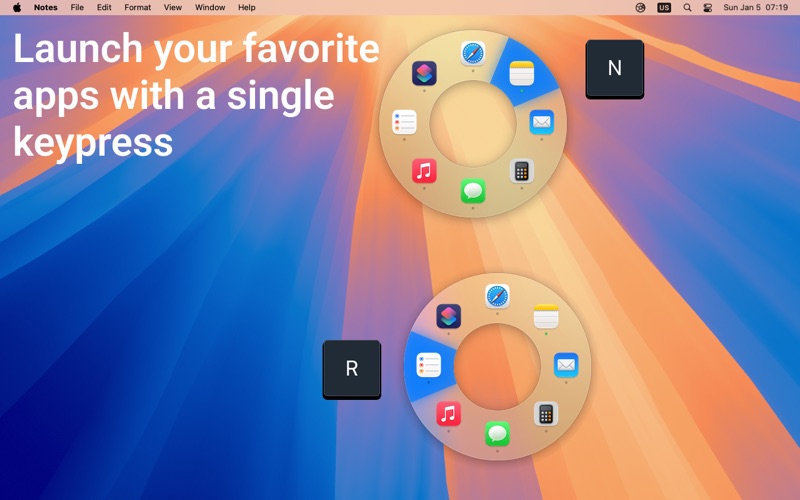

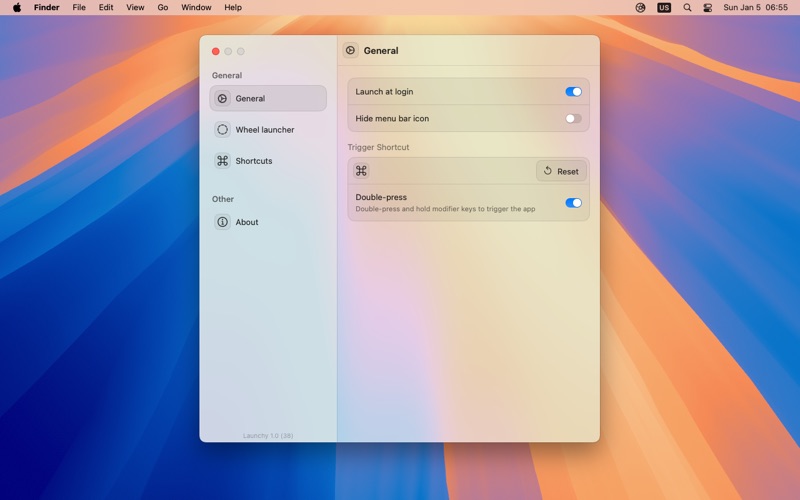

Chart presence — 1 position tracked
| Storefront | Category | Chart | Rank |
|---|---|---|---|
| Iceland | Apps | Top Free | #21 |
Details
App Store data shown here is sourced from Apple's public iTunes RSS chart feeds and the iTunes Lookup API, collected by Zing at regular intervals. Figures may differ from Apple's internal App Store Connect analytics.
Explore App Store Intelligence