
Rating
—
No ratings yet
Price
Free
US storefront
Size
11.6 MB
v6.0.2
Age Rating
4+
8 languages
Categories
Utilities
Productivity
Daily chart position by storefront
Daily rank history builds up over time — check back after a few more days of tracking.
Description
The best storage analyzer for Mac.
Running out of disk space? Need to know what is taking the most space in your storage? Analyze your storage usage with Disk Space Analyzer.
Disk Space Analyzer finds the biggest files and folders that eat up precious hard drive space. You can scan your disk file structure, analyze the remaining disk space and view your files and folders with an intuitive sunburst-like diagram.
Unused files might be taking up a significant amount of your HD space. The application displays each folder size. Bigger folders are visualized larger in the diagram, making it fast and simple to find the bulkiest data and do a disk cleanup.
When your disk is full and you have low memory space, use the drive space visualizer to view your Mac disk usage and then remove unused stuff from your computer.
Use Disk Space Analyzer to:
• Analyze disk space usage on Mac
• Get disk usage visualization
• Find out what is taking up space on your Mac
• See the list of the largest files and folders
• Easily navigate through folder directories
• Keep your Mac startup disk clean from old unused files
• See purgeable storage size
Disk Space Analyzer can scan all types of volumes:
▹ Hard Disk Volumes
▹ SSDs, CD and DVD disks
▹ Flash drives
▹ External storage disks
▹ Mounted DMG volumes
▹ and even folders with FileVault protection
The Mac disk analyzer provides a visual scanning mode with the scan results shown in real-time. You can view a small progress bar on the dock icon which displays the scanning progress. For every disk item, the utility provides a QuickLook Preview, a possibility to get additional detailed information and view the item in the Finder.
Best features of Disk Space Analyzer FREE:
◇ Progress bar during the scanning process
◇ Navigating folders during the real-time scan
◇ Quick Look for the scanned items
◇ The Show in Finder option
◇ The list of 8 biggest items
◇ Outline view for navigating files
◇ All drives support
The PRO version of Disk Space Analyzer provides you with even more features:
• Remove unneeded biggest files
• View the list of big items sorted by size
• Move items to other folders or drives
• Copy items to other folders or drives
• Premium support
EULA: https://www.apple.com/legal/internet-services/itunes/dev/stdeula/
NOTE: If you have any comments or issues, please contact us directly at support@nektony.com. We will respond to you within one business day.
Running out of disk space? Need to know what is taking the most space in your storage? Analyze your storage usage with Disk Space Analyzer.
Disk Space Analyzer finds the biggest files and folders that eat up precious hard drive space. You can scan your disk file structure, analyze the remaining disk space and view your files and folders with an intuitive sunburst-like diagram.
Unused files might be taking up a significant amount of your HD space. The application displays each folder size. Bigger folders are visualized larger in the diagram, making it fast and simple to find the bulkiest data and do a disk cleanup.
When your disk is full and you have low memory space, use the drive space visualizer to view your Mac disk usage and then remove unused stuff from your computer.
Use Disk Space Analyzer to:
• Analyze disk space usage on Mac
• Get disk usage visualization
• Find out what is taking up space on your Mac
• See the list of the largest files and folders
• Easily navigate through folder directories
• Keep your Mac startup disk clean from old unused files
• See purgeable storage size
Disk Space Analyzer can scan all types of volumes:
▹ Hard Disk Volumes
▹ SSDs, CD and DVD disks
▹ Flash drives
▹ External storage disks
▹ Mounted DMG volumes
▹ and even folders with FileVault protection
The Mac disk analyzer provides a visual scanning mode with the scan results shown in real-time. You can view a small progress bar on the dock icon which displays the scanning progress. For every disk item, the utility provides a QuickLook Preview, a possibility to get additional detailed information and view the item in the Finder.
Best features of Disk Space Analyzer FREE:
◇ Progress bar during the scanning process
◇ Navigating folders during the real-time scan
◇ Quick Look for the scanned items
◇ The Show in Finder option
◇ The list of 8 biggest items
◇ Outline view for navigating files
◇ All drives support
The PRO version of Disk Space Analyzer provides you with even more features:
• Remove unneeded biggest files
• View the list of big items sorted by size
• Move items to other folders or drives
• Copy items to other folders or drives
• Premium support
EULA: https://www.apple.com/legal/internet-services/itunes/dev/stdeula/
NOTE: If you have any comments or issues, please contact us directly at support@nektony.com. We will respond to you within one business day.
Screenshots


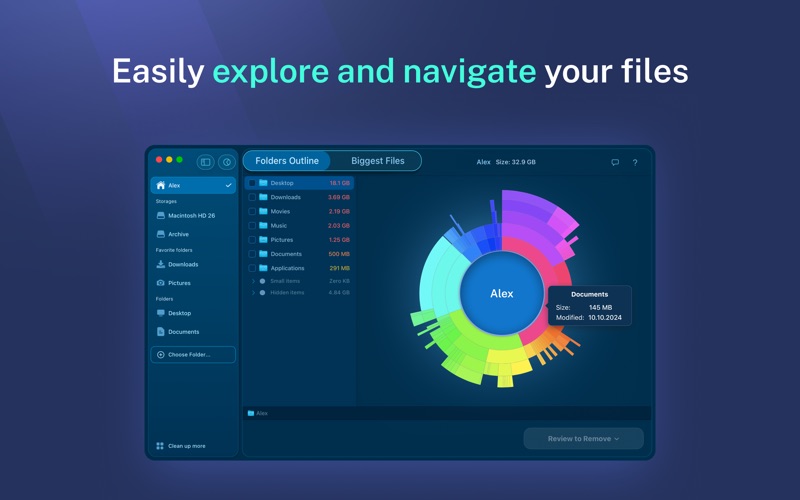
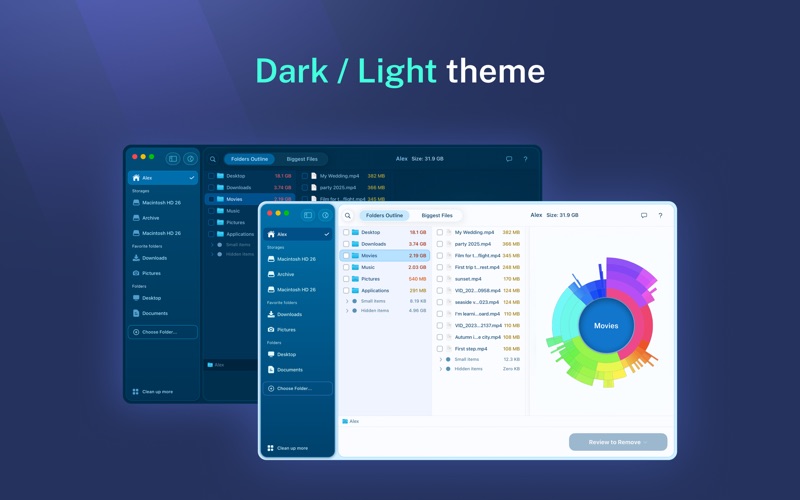
Chart presence — 1 position tracked
| Storefront | Category | Chart | Rank |
|---|---|---|---|
| Iceland | Apps | Top Free | #50 |
Details
App Store data shown here is sourced from Apple's public iTunes RSS chart feeds and the iTunes Lookup API, collected by Zing at regular intervals. Figures may differ from Apple's internal App Store Connect analytics.
Explore App Store Intelligence