
Rating
—
No ratings yet
Price
Free
US storefront
Size
62.8 MB
v2026.2.1
Age Rating
4+
3 languages
Categories
Graphics & Design
Developer Tools
Daily chart position by storefront
Daily rank history builds up over time — check back after a few more days of tracking.
Description
Sketch is a complete design toolkit. With a native Mac app for design and prototyping, and web-based tools to share, get feedback and handoff.
A native macOS app for design and prototyping
— Powerful tools built for designers, by designers
— Nestable frames and flexible stack layouts
— Fast, immersive prototyping to bring your ideas to life
— Shared Libraries, styles and components to scale your work
— Full color profile control, including P3 support
— Oklab and Oklch color gradients
— Variable and OpenType font support
— Offline and local file support
— Ready for real-time collaboration, or working solo
A flexible web app for feedback, sharing and handoff
— Store, sync and share documents
— Document and project permissions
— Easy Workspace admin
— Annotate documents with feedback
— File version history
— Share Libraries, components and templates
— Developer handoff tools
— Test prototypes in any browser
— Share client-friendly, password-protected design previews
— View, comment and handoff for free
With our free companion app, Sketch — View and Mirror, you can view designs, mirror from your Mac, and play prototypes on your iPhone or iPad.
---
CREATE WITH EASE
Sketch is perfect for beginners and professional designers. With powerful tools built for designers, by designers, you can bring your ideas to life. Whether you're designing a logo, building app screens, or putting together an infographic, Sketch has you covered.
POWERFUL LAYOUT TOOLS
With nestable, stylable frames, you have infinite flexibility when building screens, UIs and more. Add stack layouts to your designs to make them adapt to their content, or adapt content to their size.
FAST, INTUITIVE PROTOTYPING
Turn your designs into working prototypes without leaving Sketch. Share them with a link, or play them in our native iOS and iPadOS app.
FULL CONTROL OVER YOUR DESIGNS
Get complete control over every aspect of your designs. Sketch supports a variety of color profiles, including P3, as well as Oklab and Oklch gradients. With variable and OpenType font support, you can customize your typography too.
WORK FASTER WITH THE COMMAND BAR
Invoke almost any action, find and insert components, and so much more — all without leaving your keyboard. The Command Bar gives you a faster way to do almost anything in Sketch.
EFFICIENT DOCUMENT MANAGEMENT
Easily store, sync, and share your design documents with your Workspace. With powerful admin tools and document version history, you can track changes and stay on top of your team's work.
FULL OFFLINE SUPPORT
Work when and where inspiration strikes. Our design software supports offline access and local file management, so you can create without interruptions.
EXPLORE, CREATE, AND SHARE
Share your work for feedback, hand off to developers with inspect tools, and keep clients in the loop with password-protected previews — all from the web app.
GET STARTED TODAY
Download Sketch and try it free for 30 days. After that, a subscription includes your own Workspace to store, sync, and share documents — on Mac or the web.
Terms of Service: https://www.sketch.com/tos/
Privacy Policy: https://www.sketch.com/privacy/
A native macOS app for design and prototyping
— Powerful tools built for designers, by designers
— Nestable frames and flexible stack layouts
— Fast, immersive prototyping to bring your ideas to life
— Shared Libraries, styles and components to scale your work
— Full color profile control, including P3 support
— Oklab and Oklch color gradients
— Variable and OpenType font support
— Offline and local file support
— Ready for real-time collaboration, or working solo
A flexible web app for feedback, sharing and handoff
— Store, sync and share documents
— Document and project permissions
— Easy Workspace admin
— Annotate documents with feedback
— File version history
— Share Libraries, components and templates
— Developer handoff tools
— Test prototypes in any browser
— Share client-friendly, password-protected design previews
— View, comment and handoff for free
With our free companion app, Sketch — View and Mirror, you can view designs, mirror from your Mac, and play prototypes on your iPhone or iPad.
---
CREATE WITH EASE
Sketch is perfect for beginners and professional designers. With powerful tools built for designers, by designers, you can bring your ideas to life. Whether you're designing a logo, building app screens, or putting together an infographic, Sketch has you covered.
POWERFUL LAYOUT TOOLS
With nestable, stylable frames, you have infinite flexibility when building screens, UIs and more. Add stack layouts to your designs to make them adapt to their content, or adapt content to their size.
FAST, INTUITIVE PROTOTYPING
Turn your designs into working prototypes without leaving Sketch. Share them with a link, or play them in our native iOS and iPadOS app.
FULL CONTROL OVER YOUR DESIGNS
Get complete control over every aspect of your designs. Sketch supports a variety of color profiles, including P3, as well as Oklab and Oklch gradients. With variable and OpenType font support, you can customize your typography too.
WORK FASTER WITH THE COMMAND BAR
Invoke almost any action, find and insert components, and so much more — all without leaving your keyboard. The Command Bar gives you a faster way to do almost anything in Sketch.
EFFICIENT DOCUMENT MANAGEMENT
Easily store, sync, and share your design documents with your Workspace. With powerful admin tools and document version history, you can track changes and stay on top of your team's work.
FULL OFFLINE SUPPORT
Work when and where inspiration strikes. Our design software supports offline access and local file management, so you can create without interruptions.
EXPLORE, CREATE, AND SHARE
Share your work for feedback, hand off to developers with inspect tools, and keep clients in the loop with password-protected previews — all from the web app.
GET STARTED TODAY
Download Sketch and try it free for 30 days. After that, a subscription includes your own Workspace to store, sync, and share documents — on Mac or the web.
Terms of Service: https://www.sketch.com/tos/
Privacy Policy: https://www.sketch.com/privacy/
Screenshots
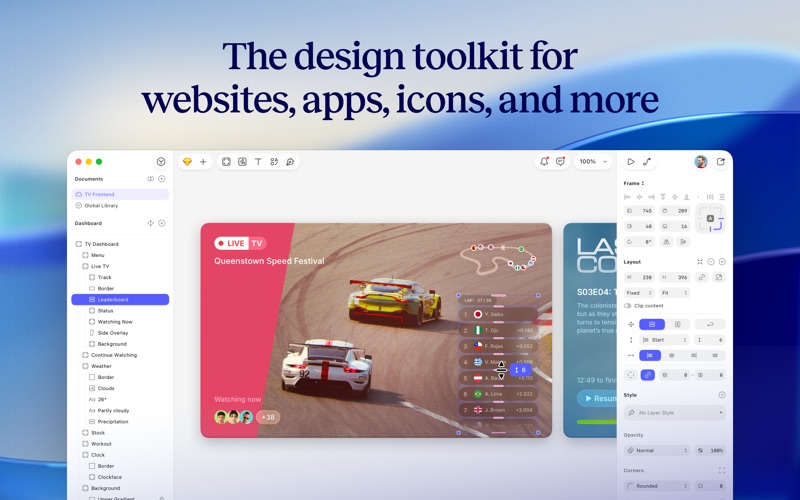
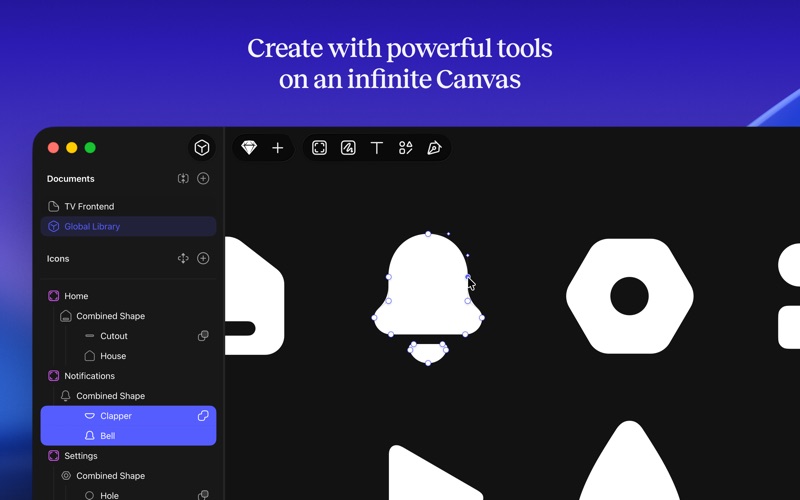
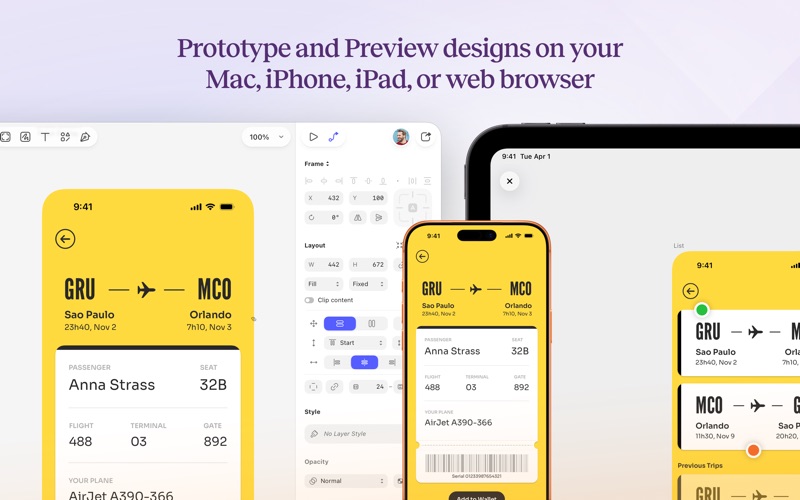
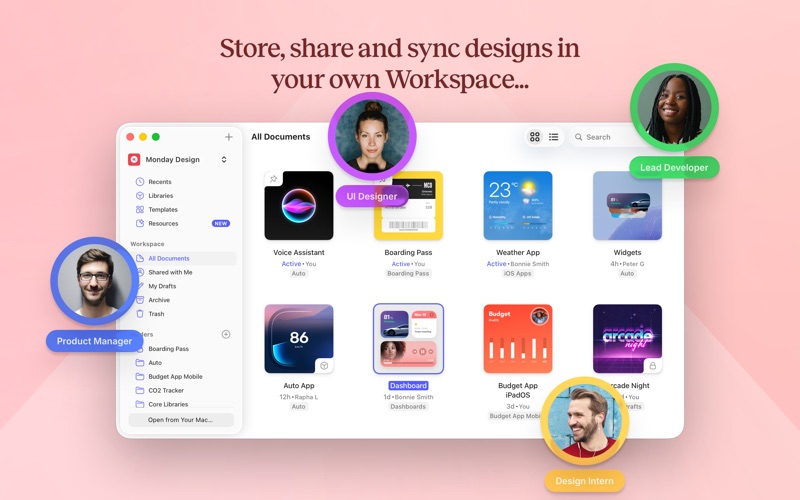
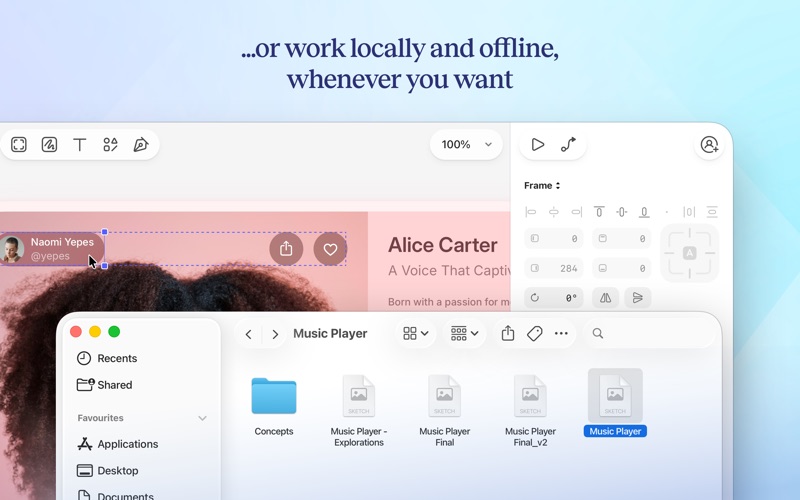
Chart presence — 1 position tracked
| Storefront | Category | Chart | Rank |
|---|---|---|---|
| Bahrain | Apps | Top Free | #69 |
Details
App Store data shown here is sourced from Apple's public iTunes RSS chart feeds and the iTunes Lookup API, collected by Zing at regular intervals. Figures may differ from Apple's internal App Store Connect analytics.
Explore App Store Intelligence