
Video Player For VLC, Compress
App Store ID 6796379679 · muhammad faisal jabbar
Not currently in Zing's Top 100
About
Transform the way you manage, edit, convert, and enjoy your media with an all-in-one video and audio toolkit. Whether you're a content creator, social media enthusiast, or simply managing your personal media, this app puts powerful tools in one simple and convenient platform.
The app also provides convenient access to popular entertainment platforms, including YouTube, Bilibili, Netflix, Prime Video, Disney+, HBO Max, Hulu, Apple TV, Roku Channel, Peacock, Paramount+, Starz, MUBI, BritBox, Curiosity, Discovery+, Pluto TV, Crunchyroll, Tubi, AMC, The Criterion Channel, and ZEE5. Availability and features may vary by service, region, and device.
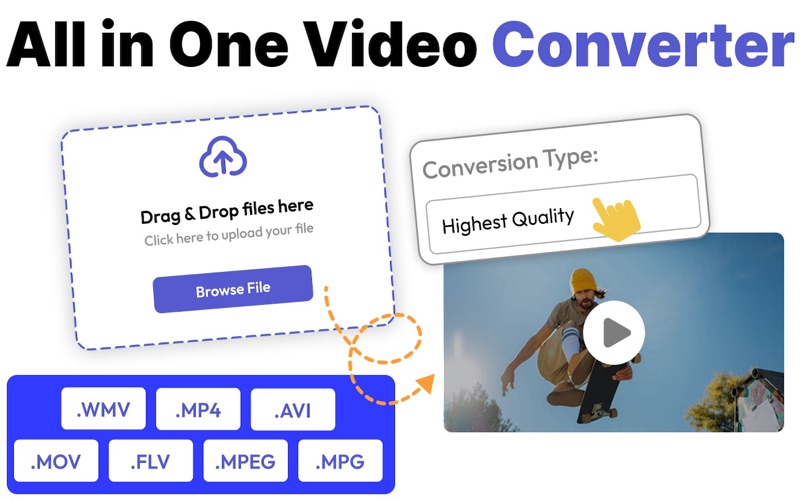
Convert videos between popular formats while maintaining quality, and compress large videos to save storage space and make sharing faster. Convert supported audio files with the built-in Audio Converter and easily create MP3 files with the MP3 Converter.
Enjoy your content with a smooth built in Video Player supporting a variety of video formats. Organize and access your media whenever you need it.
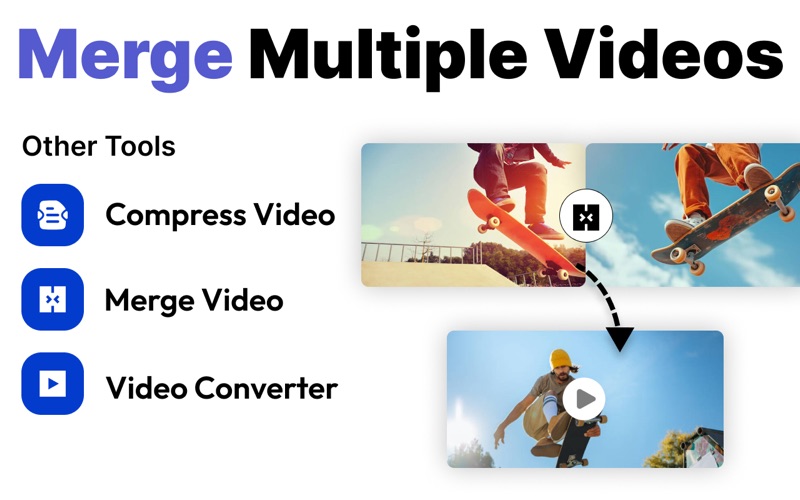
Bring your creative ideas to life with useful editing tools. Merge multiple video clips into one, reverse videos for unique effects, and remove video backgrounds to create cleaner and more professional-looking content.
Key Features:
• Video Converter
• Video Compressor
• Audio Converter
• MP3 Converter
• Built-in Video Player
• Video Background Remover
• Video Merger
• Video Reverser
• Access to popular entertainment services
• Simple, fast, and user-friendly interface
Edit, convert, compress, play, and create all your essential media tools in one place.
Note:
Payment will be charged to your iTunes account at confirmation of purchase. Your subscription will automatically renew unless auto-renew is turned off at least 24-hours before the end of the current subscription period. Your account will be charged for renewal within 24-hours prior to the end of the current subscription period. Automatic renewals will cost the same price you were originally charged for the subscription. You can manage your subscriptions and turn off auto-renewal by going to your Account Settings on the App Store after purchase. Read our terms of service and Privacy Policy for more information.
Privacy Policy
https://sites.google.com/view/muhammad-faisal-jabbar-privacy/home
Terms and Condition
https://sites.google.com/view/muhammadfaisaljabbar-terms/home
Terms Of Use (EULA):
https://www.apple.com/legal/internet-services/itunes/dev/stdeula/
Screenshots



This app isn't currently charting in Zing's tracked Top 100 — showing a live snapshot from the App Store instead. Browse current charts →