
SeatMap: Flight Seat Info
App Store ID 6781347945 · Travelscript LLC
Not currently in Zing's Top 100
About
See the seat map of your flight and check every seat before you fly. Look up a flight by its number or its route, then tap any seat to see what it is like.
SeatMap by Flightpoints shows you the full cabin layout for your exact flight, so you know what you are choosing before you pick a seat.
HOW IT WORKS
• Search by flight number (BA 117) or by route (LHR to JFK), and pick the day
• Or scan your boarding pass, or a screenshot of it
• Open the seat map and tap any seat for its details
EVERY SEAT MAP IS FREE
• The full cabin, from first to economy
• Seat details such as legroom and recline, where available
• Sun side: which windows get the sun, and for how long
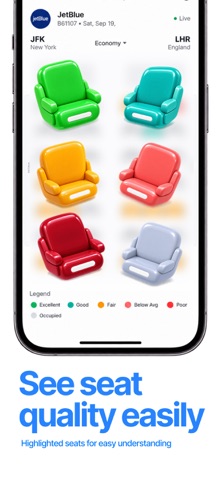
• Great window seats, picked out on the map
• Explore airlines and their aircraft, and compare seat layouts
TRIPS
Save your flights and keep your seat with them, with the aircraft and times in one place.
SEATMAP PRO
• Live availability: see which seats are open right now
• Seat Watch: an alert when a seat you want opens on a flight you watch
• Route Alerts: an alert when a seat you want opens on any flight of a route
• Swap Guard: know when your aircraft changes, and what it means for your saved seat
Available in English, German, Spanish, French, Italian, Japanese, Korean, Dutch, Polish, Portuguese and Russian.
SUBSCRIPTION
SeatMap Pro is an auto-renewing subscription. Payment is charged to your Apple ID at confirmation of purchase. It renews automatically unless cancelled at least 24 hours before the end of the current period, and your account is charged for renewal within 24 hours before that. You can manage or cancel it in your App Store account settings.
Terms of Use: https://flightpoints.com/seatmap/terms
Privacy Policy: https://flightpoints.com/seatmap/privacy
Screenshots


This app isn't currently charting in Zing's tracked Top 100 — showing a live snapshot from the App Store instead. Browse current charts →