
CamPhoto
App Store ID 6742376634 · Alvaro Neira
Not currently in Zing's Top 100
About
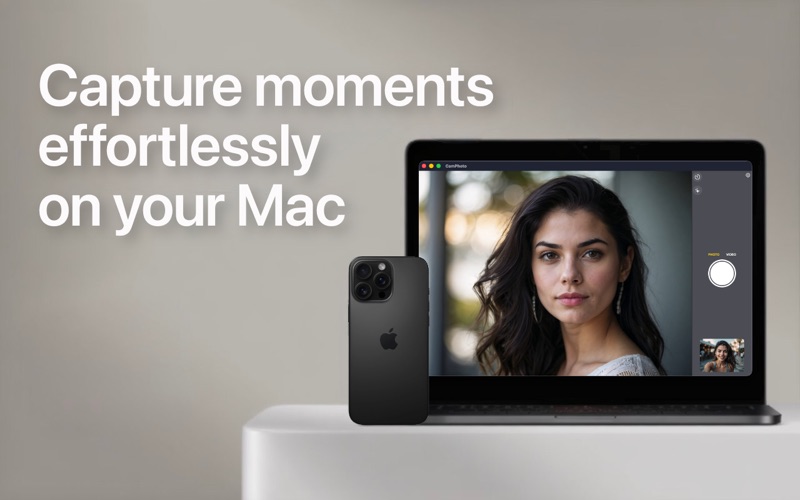
CamPhoto is the complete webcam solution for your Mac. Take photos and videos with your webcam or your iPhone — fast, in top quality, and with no subscriptions.
Photos and videos with your webcam or iPhone
- Supports all USB webcams compatible with Mac
- Use your iPhone as a camera thanks to Apple's Continuity Camera
- Choose the resolution, frame rate (FPS), and maximum quality for each camera
- Supports Portrait mode, backgrounds, Center Stage, Studio Light, and Reactions when your camera offers them
- Capture with the big shutter button, the space bar, or the Enter key
- The screen blinks when you take a photo — just like on your iPhone
Realtime Face Effects
Hide your face right in the live feed — great for privacy and for fun:
- Blur: blurs your face
- Pixelate: pixelates your face
- BlackBox: places a black rectangle over your face
- StickerFace: places a random emoji over your face
The effects use Apple AI for face detection, work in real time, and can detect up to 4 faces at once. You can adjust the size of the covered area in the settings. For now, the effects are available for photos.
Floating Webcam Feed
A floating window showing the live video from your webcam or iPhone — perfect for video tutorials, videocasts, video calls, streaming, and reactions. Also great for checking how you look before an important video conference.
- 3 shapes: circular, rectangular, or rectangular with rounded corners
- Resize it to any size and move it anywhere on the screen
- "Stay on Top" keeps the window above all other windows — even over apps in fullscreen mode
- A dedicated menu bar icon to control the app
- Take photos in this mode too
- Right-click the window to open the same context menu right there
Your sound, your choice
Select any audio input your Mac supports. Ideal for musicians, singers, and YouTubers: capture the video with your iPhone camera and the audio with your professional gear. CamPhoto remembers the last audio device you used.
Thoughtful down to the details
- Hands-free timer with a 3, 5, or 10 second countdown, including a countdown sound
- Shutter and timer sounds can be turned on or off in the settings
- Mirror effect (flips the image horizontally)
- Thumbnail of your latest capture — click it to open the folder where it's stored
- Choose any folder to save your photos and videos
- Remembers the resolution and frame rate for each camera
- Fullscreen mode from the menu bar
- Dark and light mode
- Detects when the laptop lid is closed
- Respects the aspect ratio: no cropping, no distortion. What you see is what you get.
- High-quality scaling with the Lanczos transform
- Runs on older devices too — from macOS 11 Big Sur onward
- Made with SwiftUI for macOS
CamPhoto Pro — pay once, keep it forever
In the free version, a watermark appears when using the face effects or the Floating Webcam Feed. Everything else is completely watermark-free. With CamPhoto Pro (one-time purchase, no subscriptions) you remove all watermarks and unlock all current and future features.
Questions or ideas? Write to us at support@camphotoapp.com or visit https://camphotoapp.com
More features are on the way.
Screenshots


This app isn't currently charting in Zing's tracked Top 100 — showing a live snapshot from the App Store instead. Browse current charts →